What is a Virtual PLC, really? A Virtual PLC Guide
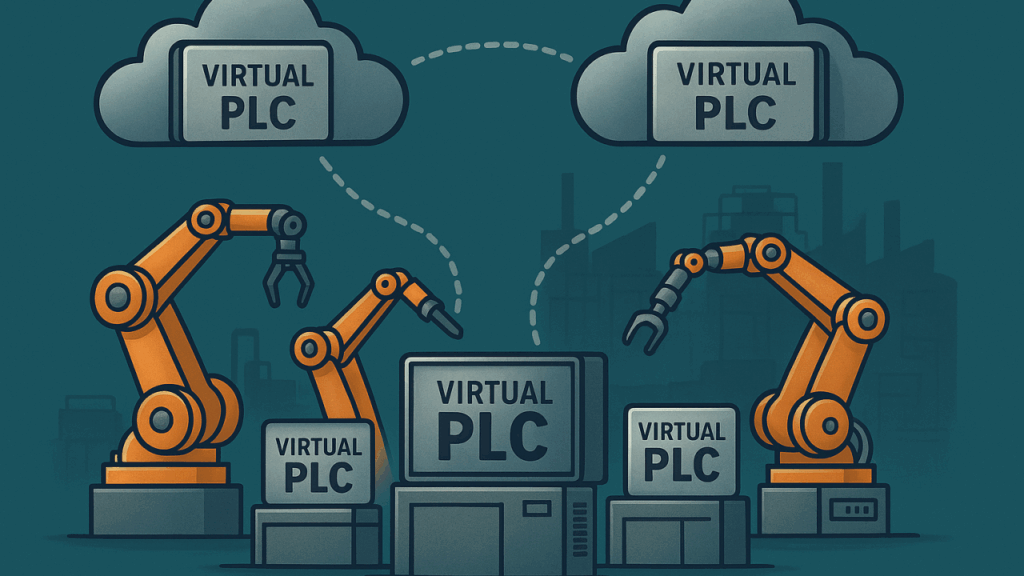
Virtual PLCs (vPLCs) are quickly becoming a hot topic in industrial automation. Major PLC manufacturers are now offering them, LinkedIn conversations are buzzing, and trade publications are covering the trend. While the concept isn’t entirely new, Virtual PLCs are currently in the early stages of adoption and steadily gaining momentum. However, one major hurdle that hinders adoption and harms the reputation of Virtual PLCs is the vague way companies and people often discuss them. There are different kinds of Virtual PLCs, and there are many ways to implement them.
The most important aspects of a Virtual PLC implementation are:
- Is it containerized or running in a Virtual Machine (VM)?
- Where is it running? On a basic edge computer in a control panel on the machine? On a high-end edge computer somewhere on the factory floor? On an enterprise-grade server in the I.T. server room (the “fog”)? In the cloud?
Let’s dive in.
The Definition of Virtual PLC: Background
First, a quick review: PLC stands for Programmable Logic Controller. Traditional PLCs are rugged, modular microcontrollers built to withstand harsh environments, with enhanced protection against electrical noise, temperature extremes, and signal interference. They’re designed to run continuously, 24/7, using industry-standard power sources and digital and analog signals. Programming is done through specialized software using simplified control languages such as ladder logic, structured text, and other IEC 61131-3 languages.
Next came Soft PLCs. “Soft PLC” is short for “software-based” or “software-defined” PLC, referring to PLC platforms that focus on the software part and are not tied to a specific hardware platform. It’s a bit of a misnomer as even traditional PLCs use software, namely the real-time operating system (RTOS) and the control program itself. Soft PLCs are the precursor to Virtual PLCs, the key difference being that Soft PLCs execute directly on the host operating system (OS).
The Definition of Virtual PLC: Virtualization
So, what exactly is a Virtual PLC then? The term “Virtual PLC” is short for “virtualized PLC,” and it refers to the use of virtualization technology. Virtualization is the process of creating full virtual versions of computer systems (both hardware and operating systems) so that software can run independently of the underlying physical machine. In this context, a vPLC replicates the functions of a traditional PLC, but in a virtual environment, decoupled from the hardware and isolated from the host OS.
A common example of virtualization in industrial automation is running older PLC programming software inside Virtual Machines (VMs). Many engineers use tools like VMware to emulate legacy Windows environments, allowing outdated but essential software to run on modern hardware. These VMs replicate an entire PC (CPU, storage, peripherals) which makes them resource-heavy even with modern CPUs offering hardware support for virtualization.
Containerization is the newer and more efficient form of virtualization, which is really just abstraction of and isolation from the OS. Containers use the host OS kernel but they have their own filesystems, users, groups, processes, networks, devices, etc. The container platform (e.g., Docker, Podman, etc.) can hide most of the host OS (isolation) and provide unique interfaces to certain parts of it (abstraction). An important difference is that no hardware virtualization is taking place, i.e., no hardware is being simulated/emulated in software. Because of this, containers are much faster and the overhead is much less when compared to VMs.
Back to Dimension #1: Containerized or VM?
Modern vPLCs are deployed using containerization technologies. Containers are more lightweight and efficient than virtual machines, offering fantastic performance even on low-end hardware. They’ve also become the standard in many modern software architectures due to their portability, scalability, and speed. Despite this shift, some very recent articles still talk about Virtual PLCs within the context of virtual machines. Be wary of such sources, as they are presenting an outdated and less efficient approach to vPLC deployment.
Docker has become quite ubiquitous and is the most popular container platform in the world. It’s either pre-installed or easily installable on most edge computing devices. In addition, Docker images conform to the Open Container Initiative (OCI) image specification, meaning they can be deployed across various container platforms, not just Docker itself. That last point is crucial, as it supports the claim that “Virtual PLCs can run anywhere.” By packaging a vPLC as an OCI-compliant container image, you can deploy it on any system capable of running containers. This hardware abstraction gives you the flexibility to switch edge computing platforms without being locked into a single manufacturer (avoids vendor lock-in) and dependence on that company’s supply chain.
Dimension #2: Where is it running?
This is really where the biggest problem is and where the most confusion comes from. Since the architecture can vary greatly, the benefits, distribution between CapEx and OpEx, effective price per vPLC instance, and technical considerations can also vary greatly.
If you break this part down, it can be thought of in terms of many different factors:
- Will you buy or rent the computing hardware? (i.e., purchase vs. using a cloud server)
- How far away will the computing hardware be from the machinery / I/O being controlled by it?
- How many networking devices are involved in the connection between the computing hardware and the machinery / I/O being controlled? How much latency is introduced?
- How reliable is that connection, and how critical is the process, i.e., can any downtime be tolerated if the connection goes down?
Personally, I would never recommend having a vPLC off-site, even if it’s still within the company’s network. The computing hardware running the vPLC should be at the same physical location as the machinery / I/O being controlled, i.e., not relying on an internet or WAN connection.
Case #1: Edge device/gateway located on or very near the machine – panel or DIN rail mount
First, let’s take a look at the most straightforward setup, which is to have an edge device in a control panel on the machine itself. This edge device would probably have an ARM (Cortex-A series) or x86-64 (Intel Atom, Celeron, etc.) processor with 1-4 CPU cores. These devices start in the $200 range (low-end ARM-based e.g. Cortex-A7) and can go all the way up to $2000 or so for x86-64, depending on options. For good options, we can say an average of around $500-$600 for ARM-based and more like $1200-$1500 for x86-64. Depending on program size and performance needed, we can comfortably fit one to a few vPLC instances on any of these options. This option is great for single machines or small to mid-sized projects.
Pros:
- Very economical; good value with each vPLC instance effectively costing a few hundred USD.
- Direct connection to I/O points: either onboard, on the same backplane, or within the same panel.
- Very low power consumption, usually just a few watts for ARM and less than 20 W for x86-64.
Cons:
- Not really meant for prolonged 100% CPU utilization due to fanless operation often without heat sinks (there are some exceptions here though).
- Single point of failure with storage due to lack of RAID options.
Case #2: High-end edge computer – panel or DIN rail mount
The next tier is to have a high-performance edge computer. These are typically physically larger than their lower-tier cousins and feature desktop-grade x86-64 CPUs such as Intel Core i5, i7, or even server-grade Xeon processors. With 4 or more CPU cores, abundant RAM (>16 GB), and SSD storage, these systems can comfortably host more than 10 vPLC instances. Pricing usually lands in the $2,000-$6,000 range depending on specs.
Pros:
- Massive capacity: a single unit could host >10 vPLC instances, depending on specs.
- Built-in redundancy options: some models support RAID storage, dual NICs, or redundant power supplies.
- Still located close to the machines, minimizing latency and reducing network dependencies.
- Flexible: can consolidate multiple machine controllers, small production lines, or even act as a localized plant cell control hub.
Cons:
- Higher upfront CapEx than small edge devices.
- Larger size and higher power draw (50-150 W).
- Single point of failure for multiple vPLCs unless paired with failover strategies.
- Overkill for simple, single-machine projects.
Case #3: Enterprise-grade server in the IT server room (the “fog”)
This is where things start to get murkier (get it?). Running vPLCs in a centralized IT server room offers consolidation and professional-grade infrastructure (redundant power, RAID, climate control, UPS backup, etc.). Servers here can host dozens of vPLC instances, effectively centralizing control across an entire plant. The challenge is the distance between the servers and the physical I/O. Even with deterministic industrial Ethernet, every extra switch, router, and fiber hop introduces latency and adds more failure points.
Pros:
- Extremely high density: dozens of vPLC instances on a single server.
- Enterprise-grade reliability: redundant everything (power, storage, cooling, network).
- Easier IT oversight, patching, and monitoring.
- Centralized resource pooling: ideal for larger plants with standardized networking infrastructure.
Cons:
- Distance from machinery adds network latency, jitter, and more potential failure points.
- Heavily reliant on network uptime; if a switch, router, or fiber goes down, entire sections of the plant could be halted.
- Requires close collaboration between OT and IT teams.
- High upfront costs for server hardware ($2000 and up; could even exceed $10000 depending on specs).
Case #4: Cloud-based vPLC deployment
Finally, we have the most controversial option: running vPLCs in the cloud. Conceptually, this is attractive: infinite scalability, no hardware to maintain locally, and global accessibility. In practice, it’s too risky for anything important. Industrial control requires deterministic, low-latency performance. Even the best private connections to the cloud can introduce significant latency, which is unacceptable for motion control or safety applications. While cloud vPLCs may eventually find niche use cases (non-critical supervisory logic, simulation, digital twins, long-term historical control logic), they are not a practical choice for hard real-time machine control today.
Pros:
- Elastic scalability: spin up or down thousands of vPLC instances instantly.
- Reduced CapEx: everything is OpEx (subscription-based / pay as you go).
- Seamless integration with cloud-based MES, analytics, or AI platforms.
- Great for training, simulation, and redundancy testing.
Cons:
- Latency and jitter are too high for critical control.
- Complete reliance on internet and WAN uptime.
- Security risks: attack surface extends beyond plant boundaries.
- Recurring subscription costs.
- Currently impractical for real-world machine I/O control.
Wrapping Up
Virtual PLCs offer exciting possibilities, but their effectiveness depends heavily on how they’re implemented. Edge devices on or near the machine provide the best balance of cost, simplicity, and low latency, making them ideal for most single-machine or small project setups. High-end edge computers add capacity and redundancy, suitable for consolidating multiple controllers or plant areas. Server-room deployments centralize resources and leverage enterprise infrastructure but increase reliance on network uptime and add complexity. Cloud deployments, while attractive for scalability and simplicity, remain impractical for real-time control due to latency and reliability concerns. At the end of the day, the best architecture is the one that best fits your particular use case.